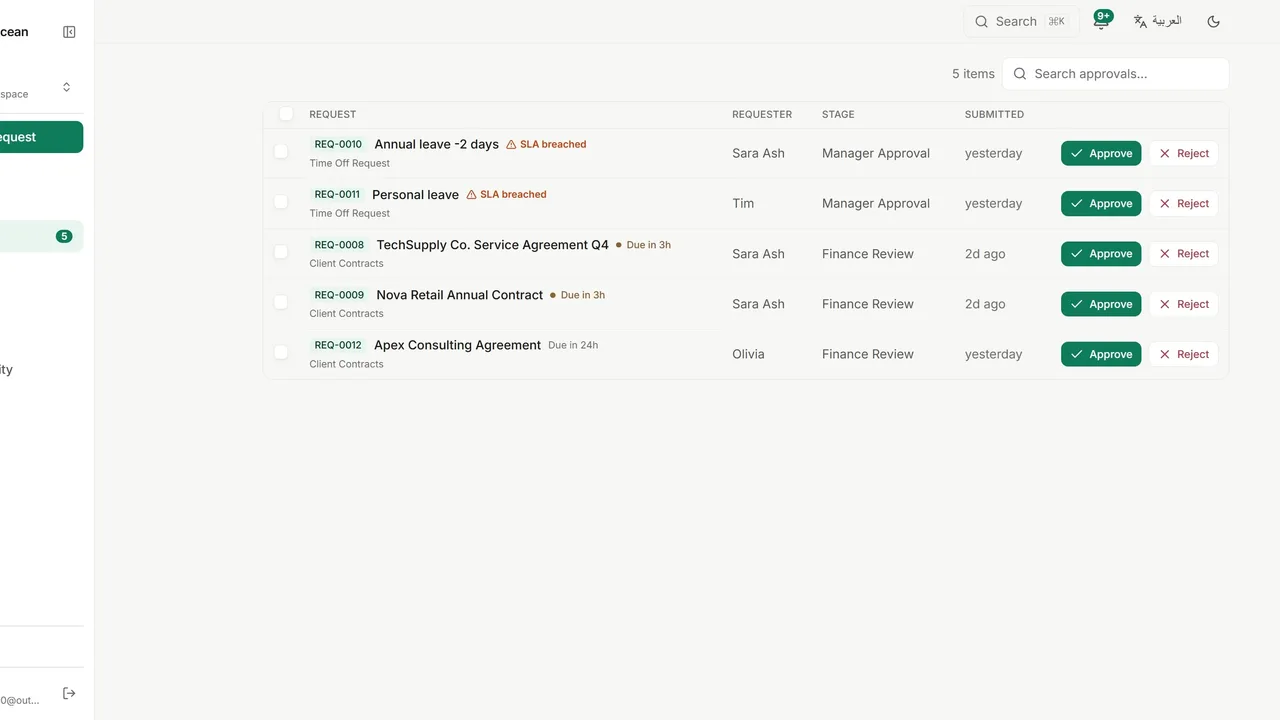
 Watch it in the app Reviewing and deciding requests Review pending requests in your inbox and approve, reject or approve with conditions, with a 10-second undo on every decision.
 Go deeper
Solutions · Expenses
A claim goes to the manager, then to finance. Finance has 72 hours, and the clock is visible to everyone. Employees stop chasing, and finance stops guessing which claims are still open.
Employees chase approvals for weeks, and the claim only moves when someone asks.
The receipt is in one email, the approval in another, and finance needs both together.
Nobody can see which claims have waited too long until an employee complains.
A new workspace offers ready-made templates on its Policies page. Expense Reimbursement is one of them, and this is what it sets up, ready to edit. You can also build the same policy from scratch.
The request form
The route
Name a role that receives the finance review when the 72 hours pass, so no claim waits without an owner.
Add a stage that runs only when the category is Travel, for example a travel coordinator.
Approve a claim with a note, for example “paid next cycle”, and the condition stays with the decision.
The dashboard shows approval rate, average decision time and SLA breaches across your workspace.
Watch it in the app Reviewing and deciding requests Review pending requests in your inbox and approve, reject or approve with conditions, with a 10-second undo on every decision. Go deeper
Yes. Files are attached to the request, and approvers open them from the request page.
Yes. The SLA is set in hours on each stage, so you choose the number that fits your process.
Yes. The requester can cancel it any time before the final decision.
Yes. New work appears in the approver’s inbox as soon as it reaches their stage, without a page refresh.
The Free plan includes three active workflows, five people and 50 requests every three months.