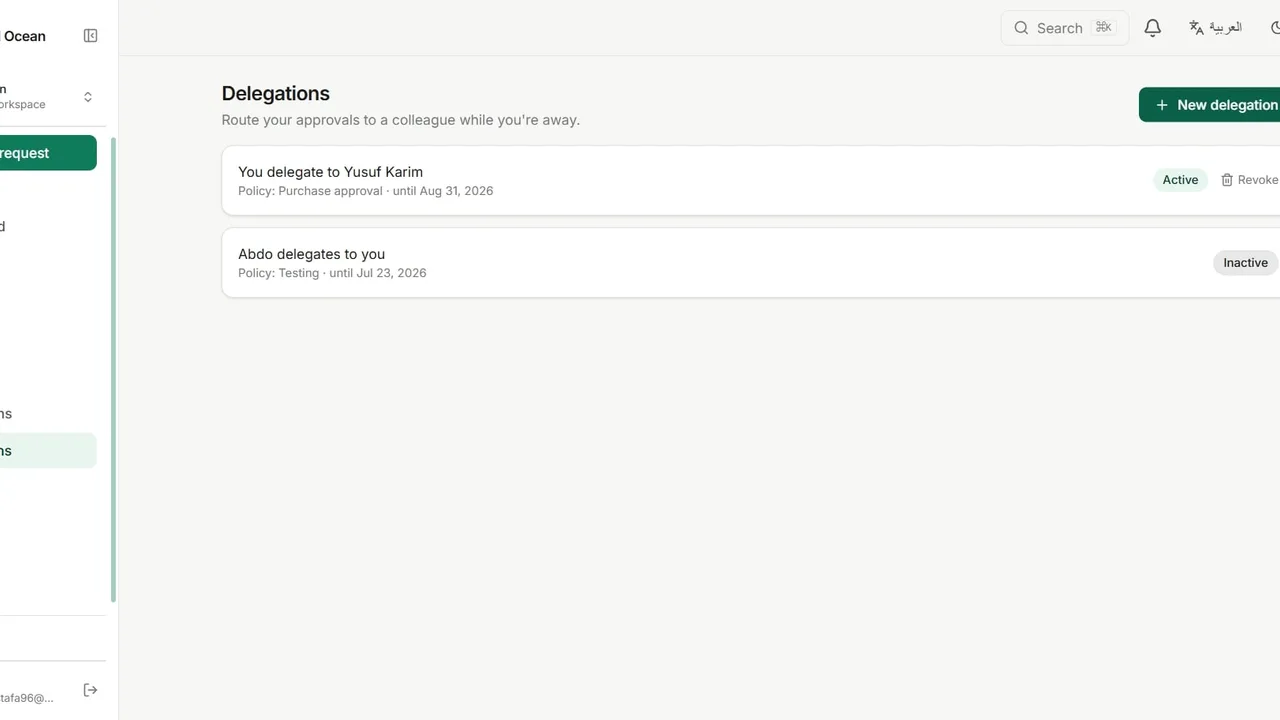
 Watch it in the app Delegating approvals Hand your approvals to a colleague while you are away: for every policy or just one, with an optional end date, and revoke it at any time.
 Go deeper
Solutions · Leave and HR
An employee picks the leave type and dates. The request goes to their manager, who has 48 hours to decide. When the manager is away, their delegate decides instead.
Requests go to a shared inbox, and the person who should decide never sees them.
An employee books travel and still has no reply on their leave.
The approving manager is on leave themselves, and the request waits for their return.
A new workspace offers ready-made templates on its Policies page. PTO / Leave Request is one of them, and this is what it sets up, ready to edit. You can also build the same policy from scratch.
The request form
The route
Point the stage at the manager role in the requester’s department, so requests never cross teams.
A manager delegates approvals to a colleague until a set date, then the delegation ends by itself.
Add an HR manager stage that runs only when the leave type is Unpaid.
Field labels can carry an Arabic version, and the whole app works right to left.
Watch it in the app Delegating approvals Hand your approvals to a colleague while you are away: for every policy or just one, with an optional end date, and revoke it at any time. Go deeper
Yes. A stage can route to a role within the requester’s department, so each department’s manager receives their own team’s requests.
The deadline is visible on the request, and you can name a role that receives the approval when the SLA passes.
Yes. A delegation can cover all policies or a single one, and it ends on the date you set or when it is revoked.
Yes. The leave type is a dropdown in the form designer, so you edit its options.
The Free plan includes three active workflows, five people and 50 requests every three months.