4 of 8 · Core operations and workflow
Interactive demo. Nothing loads until you press play.
4 of 8 · Core operations and workflow
Interactive demo. Nothing loads until you press play.
Core operations and workflow
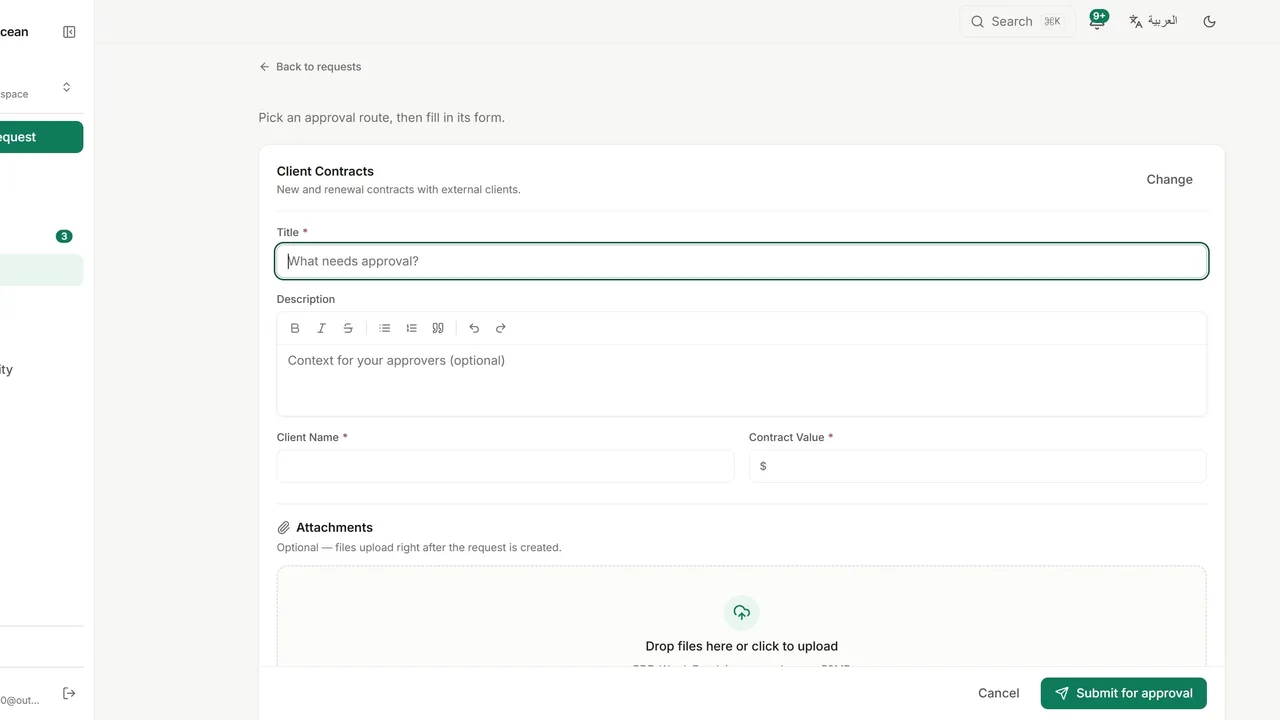
Submit a request from any policy. The policy shapes everything that follows: the form, the stages, the approvers and the conditions.
Click New request and select the policy that fits what you need approved.
Enter a title and a description.
Complete the policy’s own fields. Each policy asks for different information.
Click Submit for approval. You land on the request’s details page straight away.
Cancel the request at any time before a final decision, or use PDF export to keep a record of it.